
Pick something.
Haven starts it.

A free media player for your TV. One home for films, series, anime and live TV, trailers as you browse, and the best version of whatever you choose, started for you.

v0.3.12 · Free · No ads · No account

On Fire TV & Android TV now · Windows and phone soon

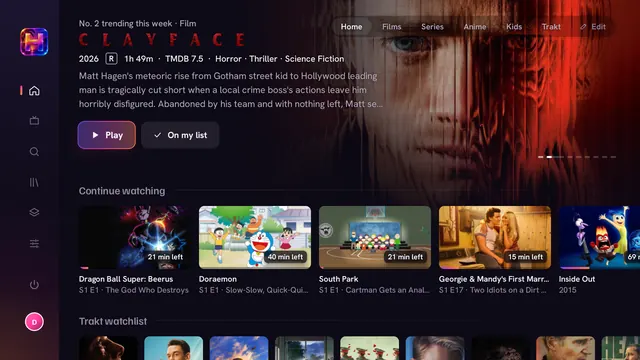
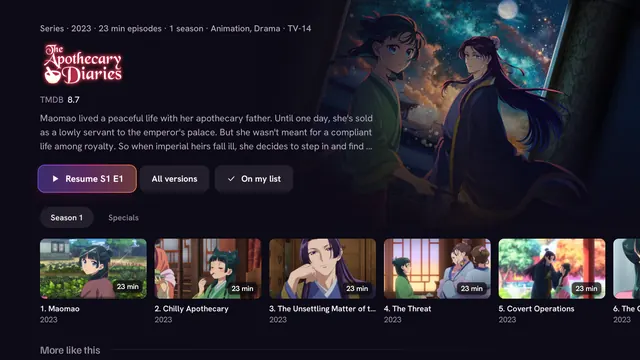
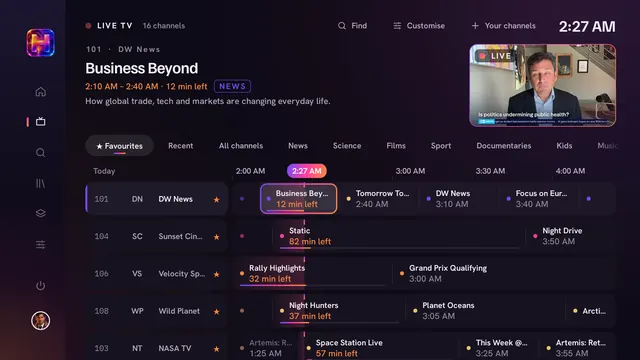
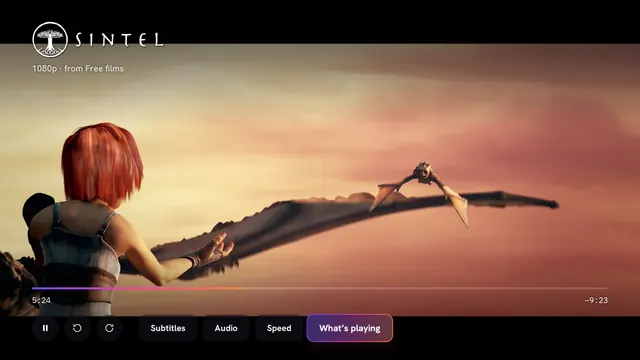
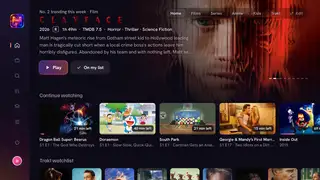
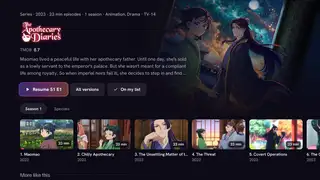
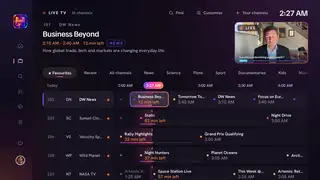
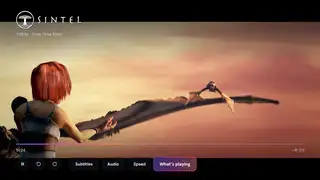
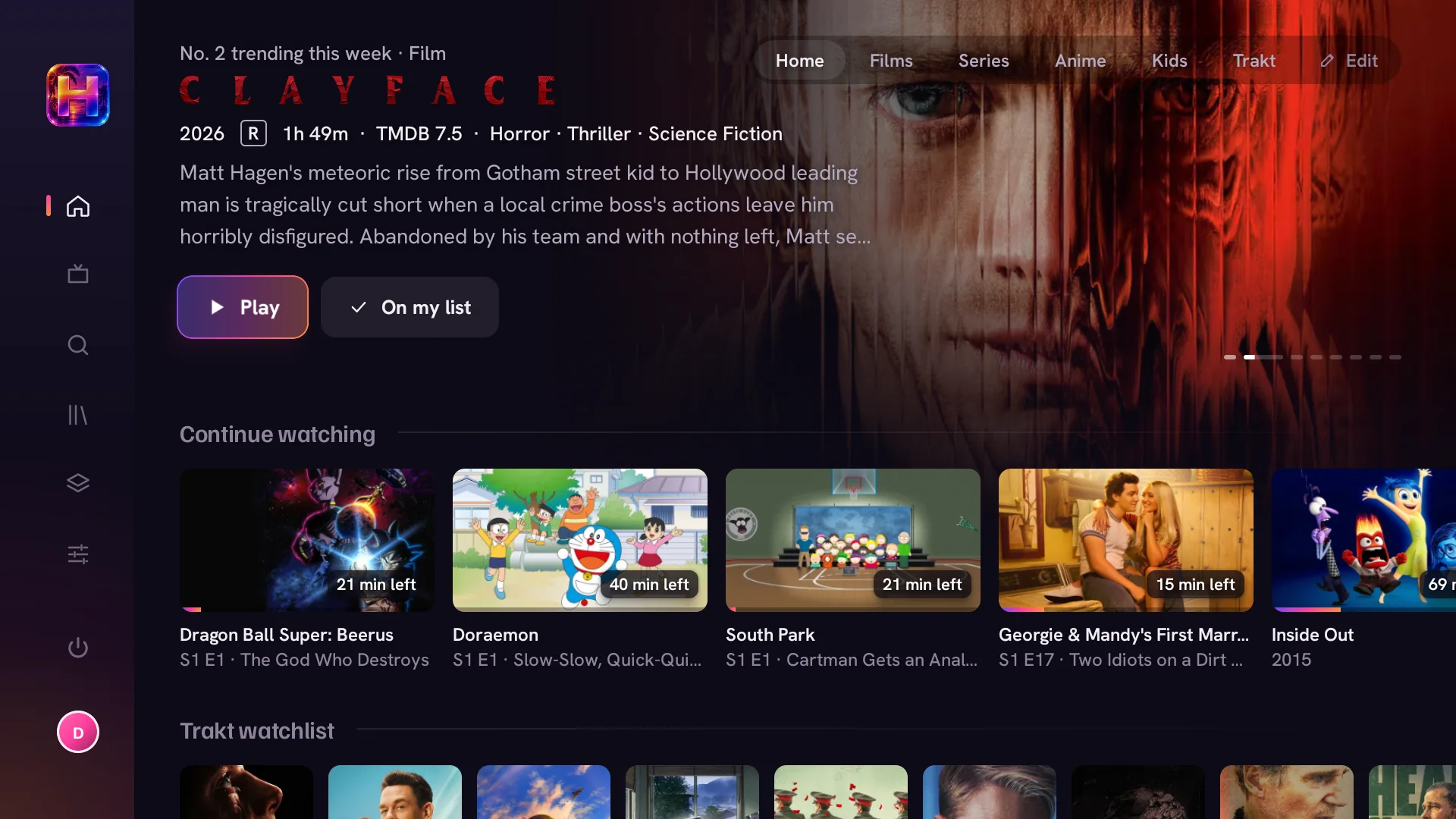
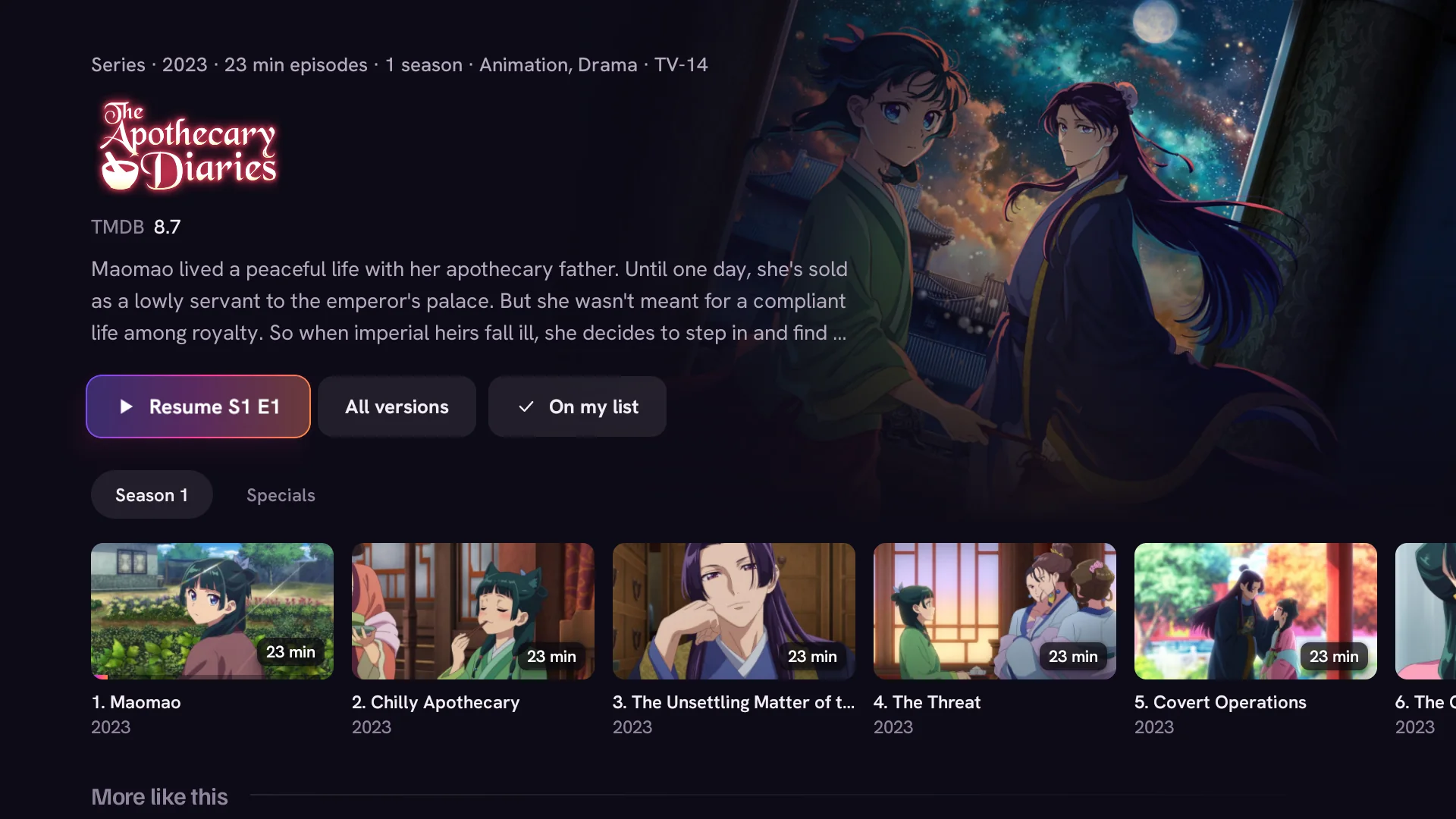
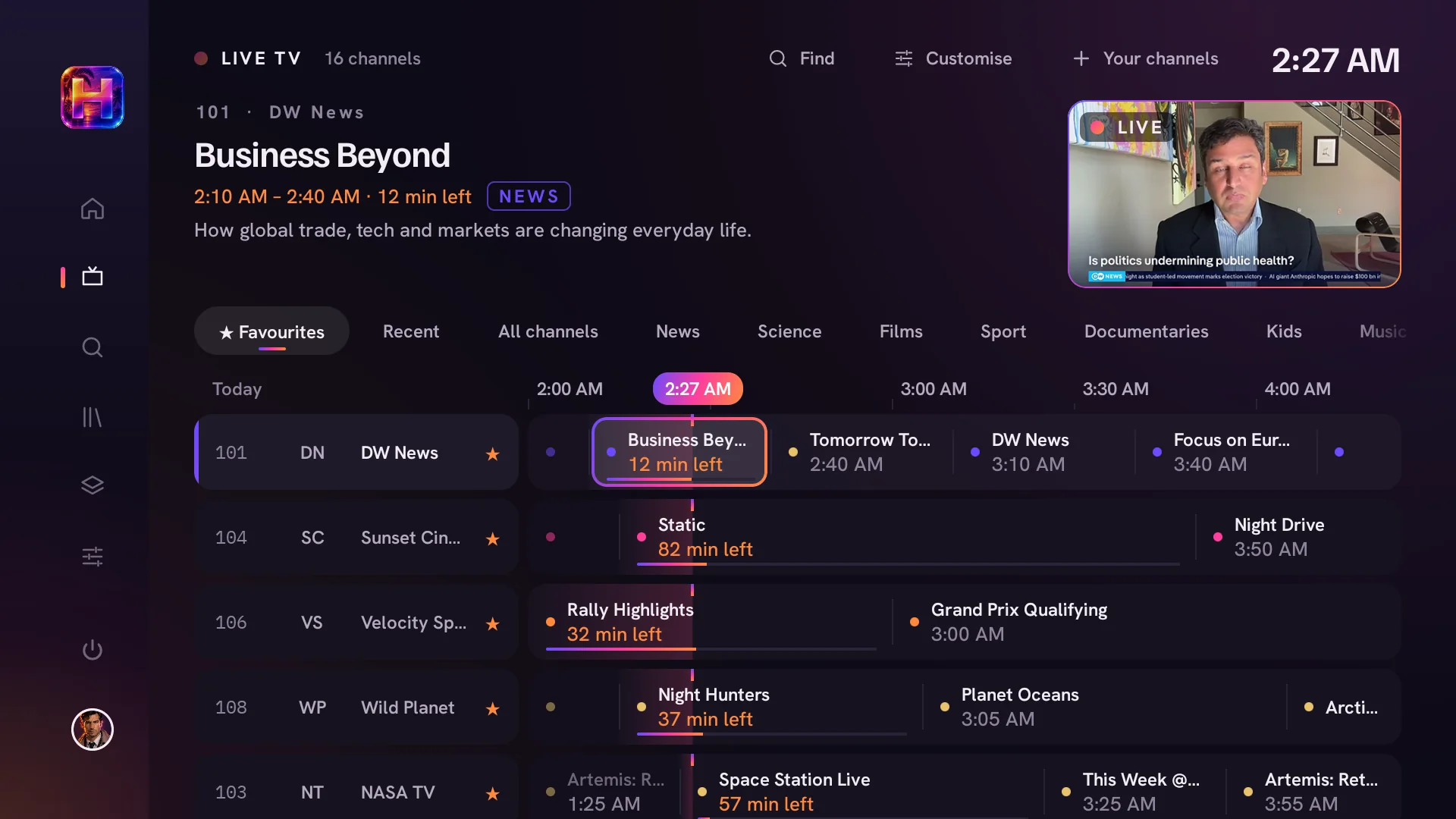
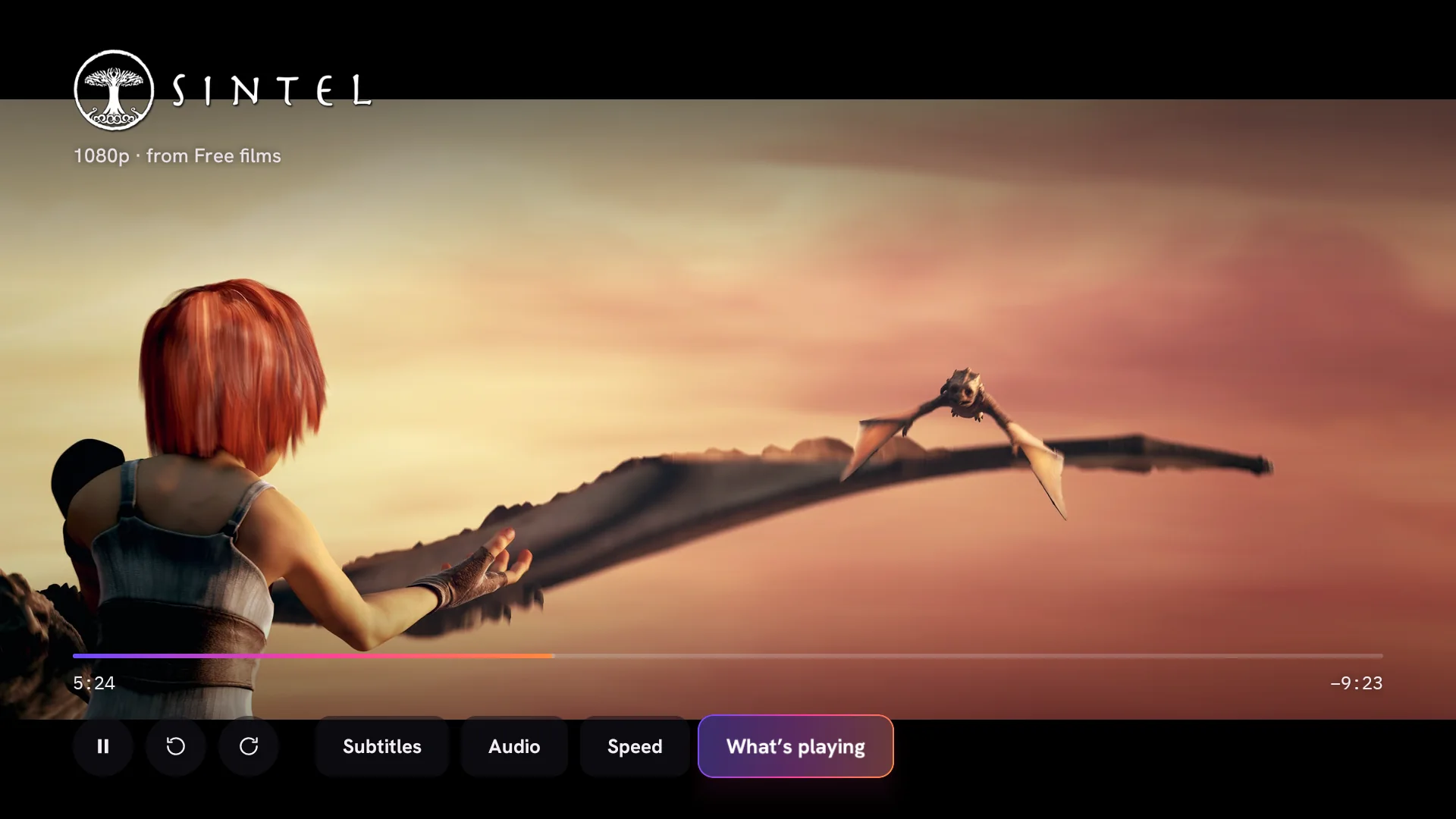
Haven's home screen: a film in the spotlight with its title art, Continue watching and your Trakt watchlist below A series page with its title art, a Resume button, season tabs and a row of episodes with progress The live TV guide: channels down the side, programmes along a timeline and the channel you're on in a small window The player over Sintel, a free Blender film: title art, the version playing, a progress bar and Subtitles, Audio and Speed buttons
Home · The spotlight

01 / 06

Press Play. It plays.

Haven asks every source you've added at once, ranks each version by your rules and starts the best one after a short countdown. Rather choose yourself? Every version is laid out with its quality, size and whether it'll start instantly.

  • The best version, picked for you

    Resolution, file size, language, HDR and surround sound, weighed in the order you set.

  • Instant first

    Links your debrid account already has always beat peer to peer, so most things start in a second or two.

  • Never a dead end

    If a version won't start, Haven quietly tries the next. Every other version is one press away.
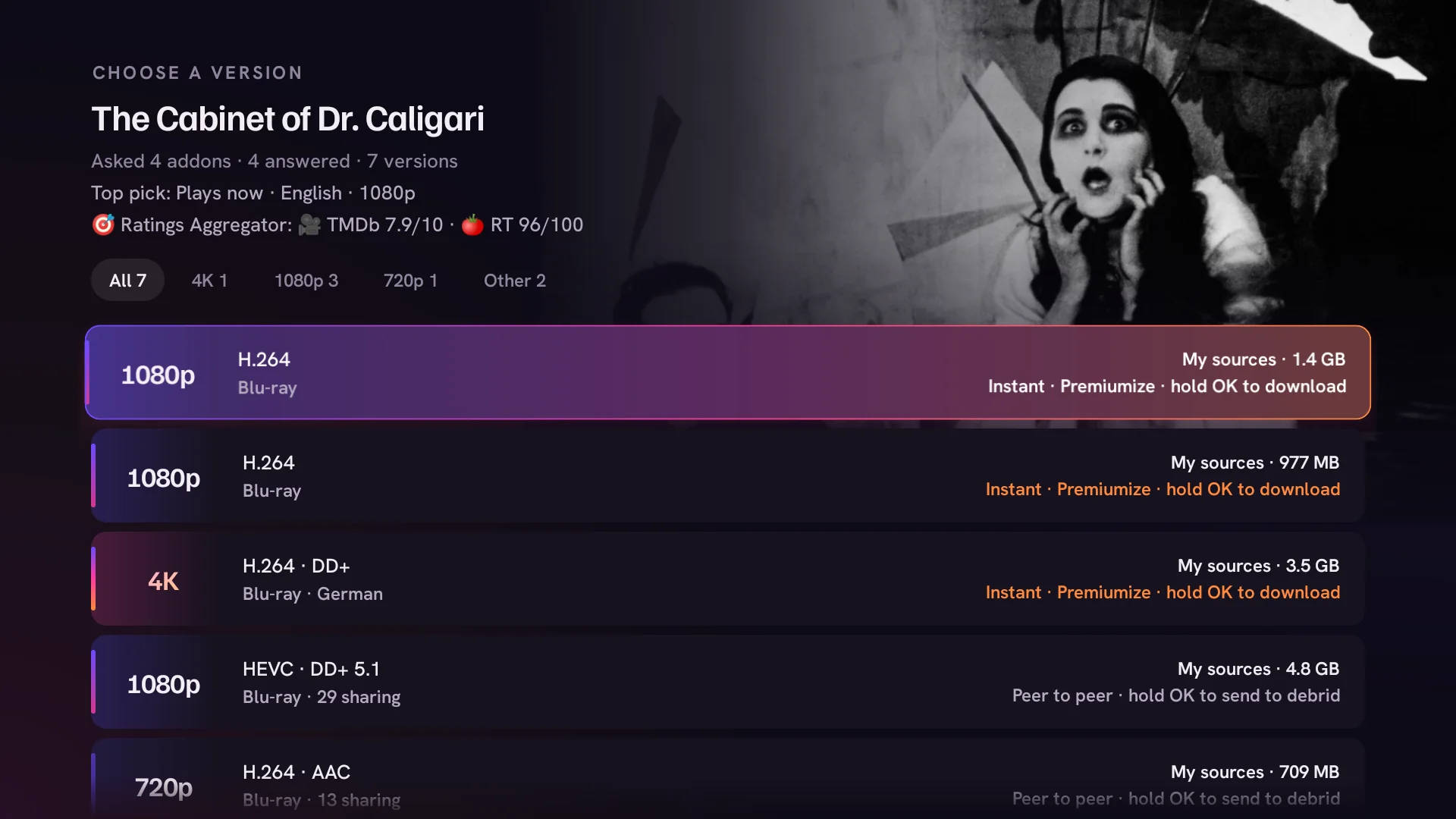
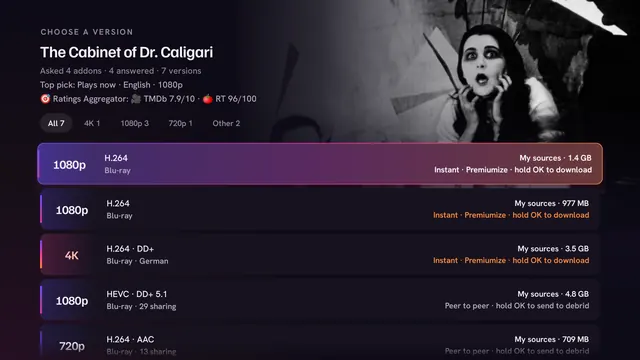
Choosing a version of The Cabinet of Dr. Caligari, a public domain film: its backdrop top right, filters for 4K, 1080p and 720p, and a list of versions with quality, size and an Instant label

02 / 06

A home that keeps going

Home, Films, Series, Anime and Kids, each with its own rows. Rest on a title and its trailer fades in behind the official title art. Keep scrolling right and more titles load.

  • More than 90 rows

    Genres, decades, moods, new episodes this week, anime seasons, Trakt picks and your own Trakt lists.

  • Trailers as you browse

    Played natively in up to 1080p, dubbed into your language when there's a dub, with sound on or off.

  • Title art, not text

    Official logos in the spotlight, the player and the countdown, loaded ahead so nothing flickers.

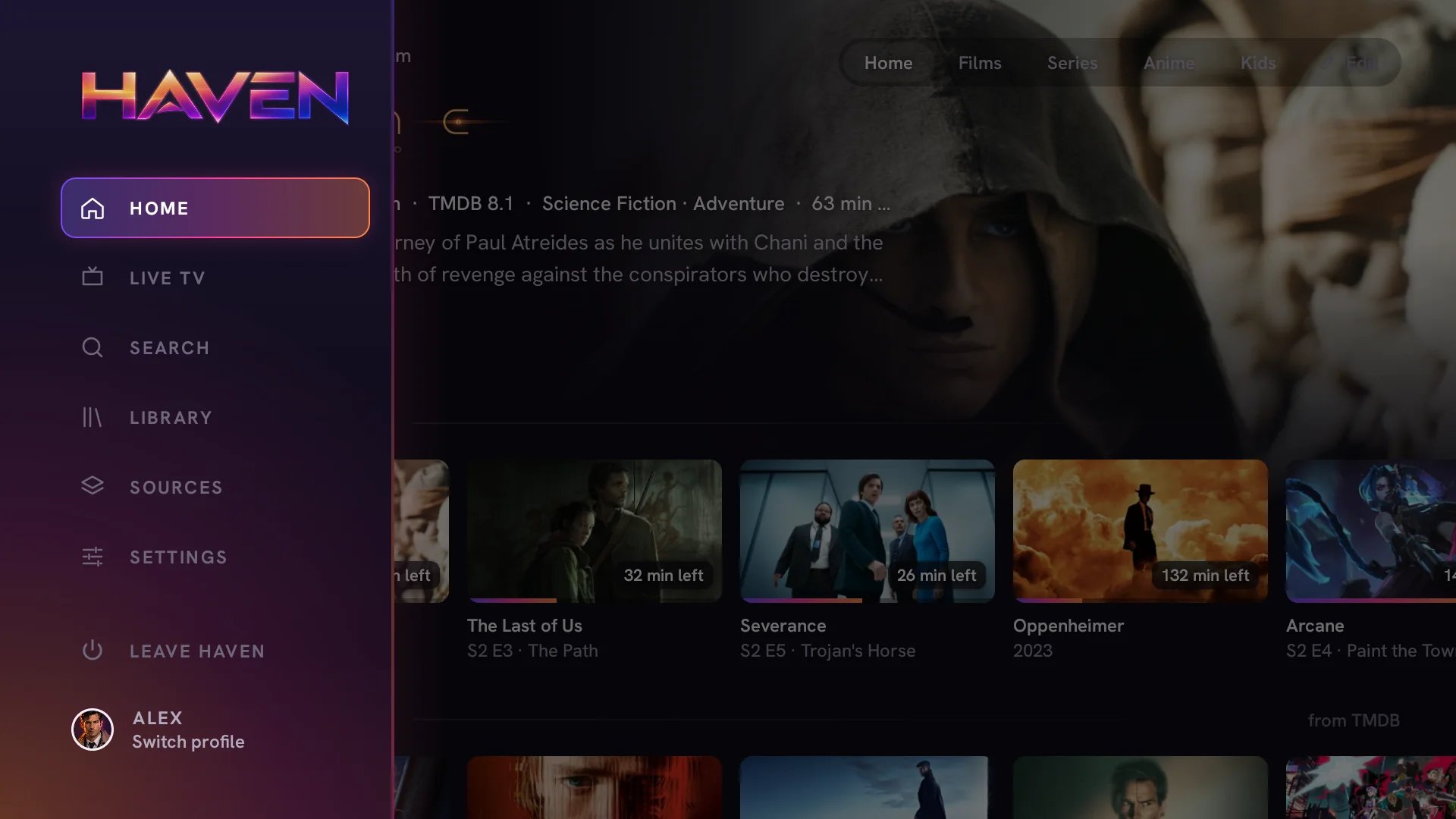
Haven's menu open over the home screen: Home, Live TV, Search, Library, Sources and Settings, with the profile at the bottom

03 / 06

Never lose your place

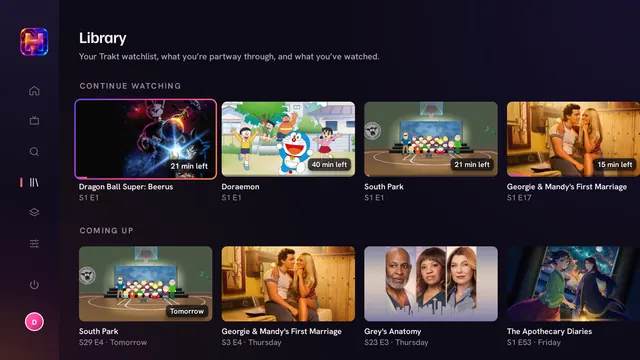
Sign in to Trakt with a code on your phone and your watchlist, history and progress follow you between devices. Every episode you've seen gets a tick, and the next one is ready before the credits roll.

  • Skip the bits you've seen

    Intros, recaps and credits, each with its own switch.

  • Up next

    A countdown at the credits, in the same release, quality and language all season.

  • One list

    My list and your Trakt watchlist are the same list. Finish something and it leaves by itself.

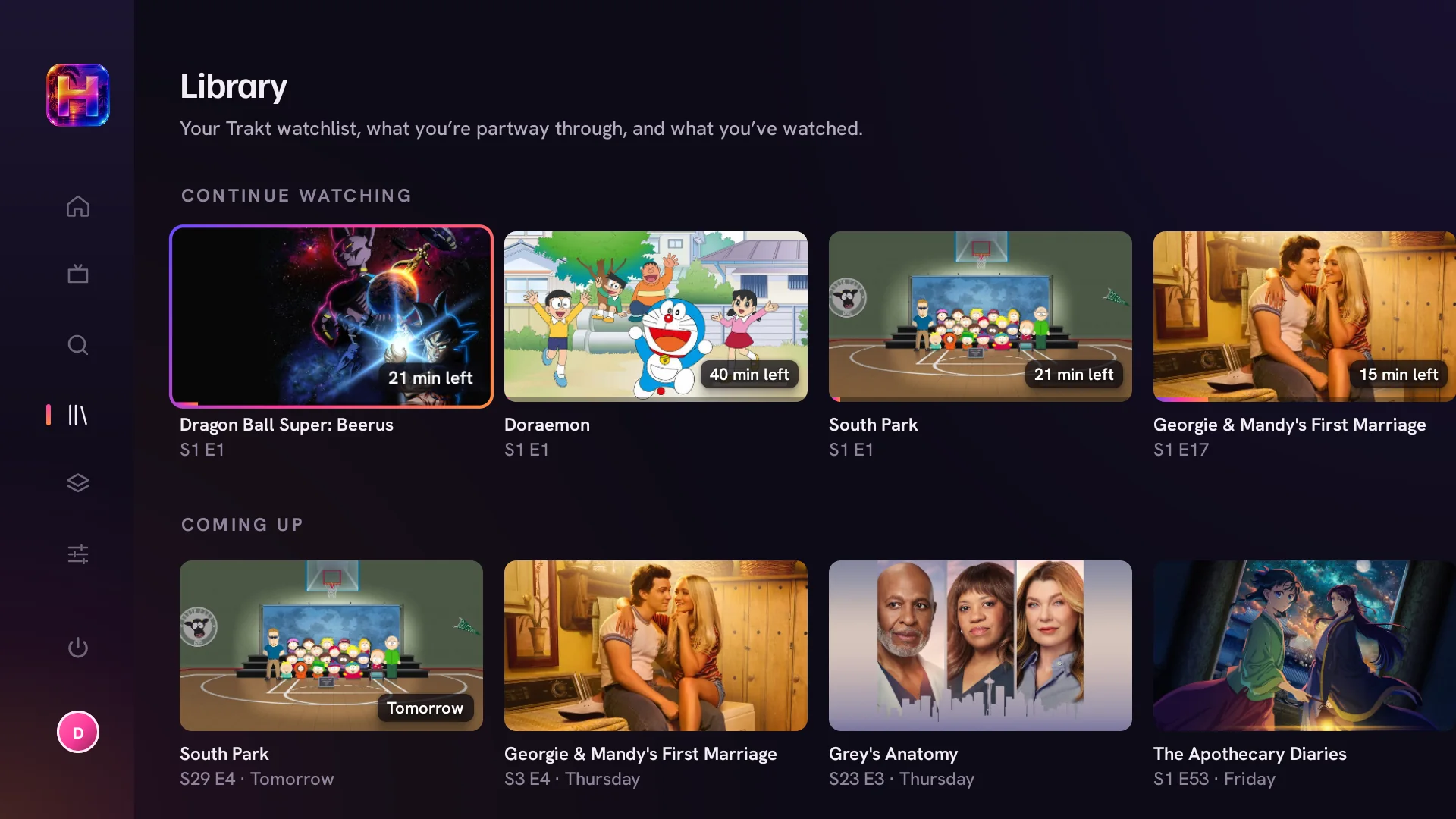
The Library: Continue watching with progress on each card, and Coming up with the next episodes and the day they air

04 / 06

Live TV, with a proper guide

Free news channels, streamed by the broadcasters themselves, are built in. Add your own TV provider and its channels join them in one guide, with what's on now, what's next and the channel you're on playing in the corner.

  • Bring your provider.

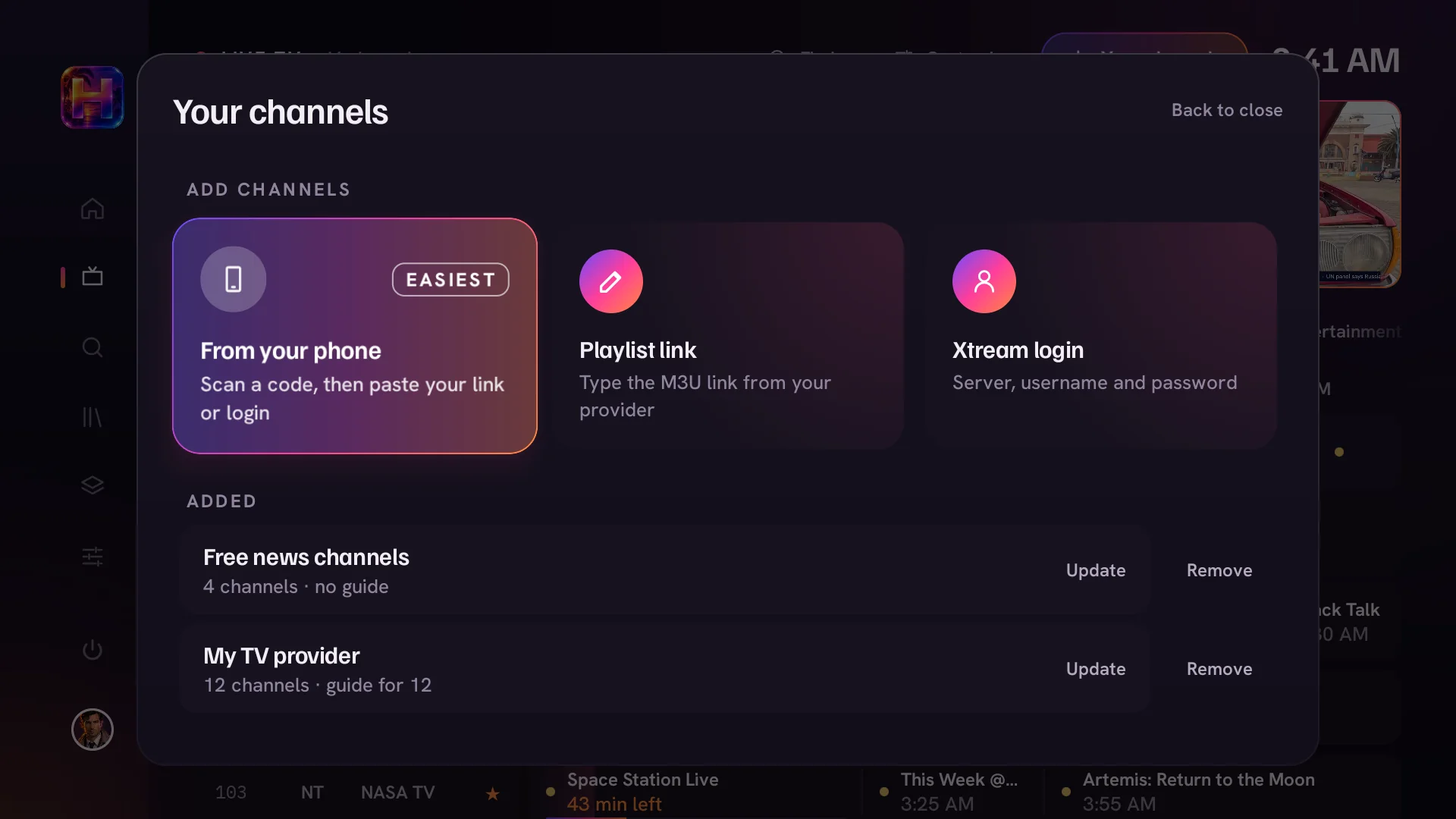
    Scan a code and paste your link on your phone, or enter a playlist link or Xtream login. Haven fetches the guide for you.

  • Your guide, your way.

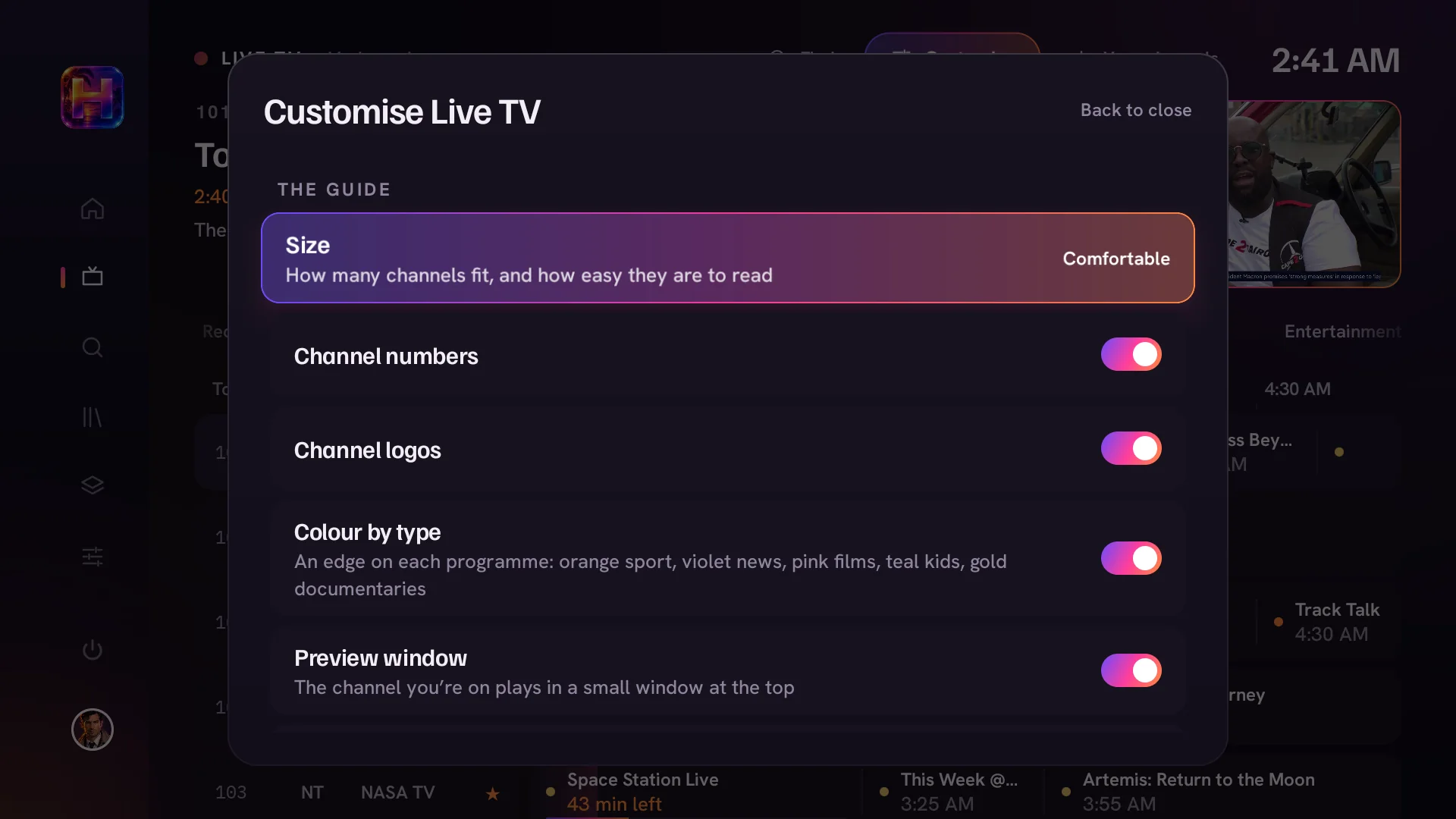
    Roomy or compact, with or without numbers and logos, and programmes coloured by type so sport and films stand out.

The live TV guide: categories across the top, channels down the side and programmes on a timeline, with a preview window top right
Your channels: add a provider from your phone, with a playlist link or with an Xtream login
Customise Live TV: guide size, channel numbers, channel logos, colour by type and the preview window

05 / 06

Everyone gets their own

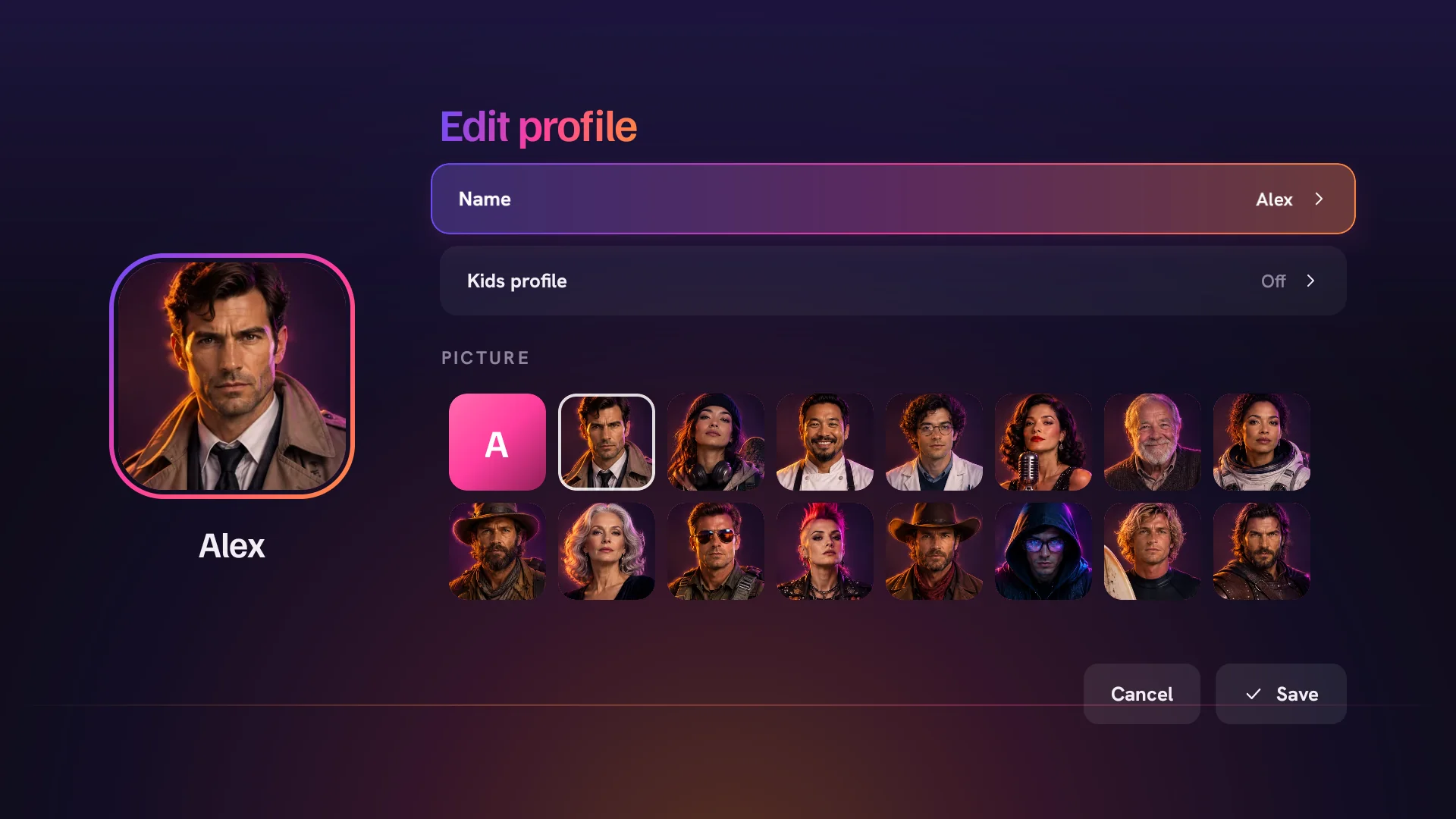
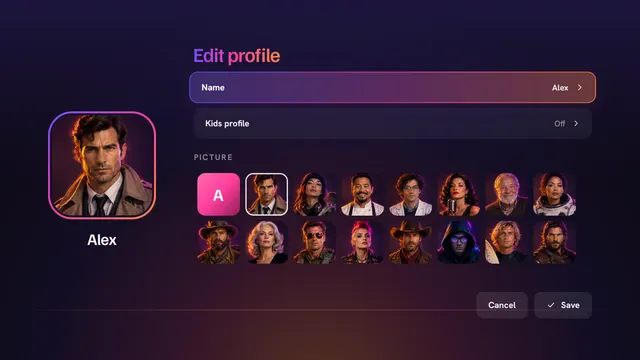
A profile for each person, with their own list and progress. Kids profiles keep to films rated G and PG and series from TV-Y to TV-PG, and a PIN keeps them there.

Edit profile: a name, a Kids profile switch and a choice of pictures

06 / 06

Add sources in seconds

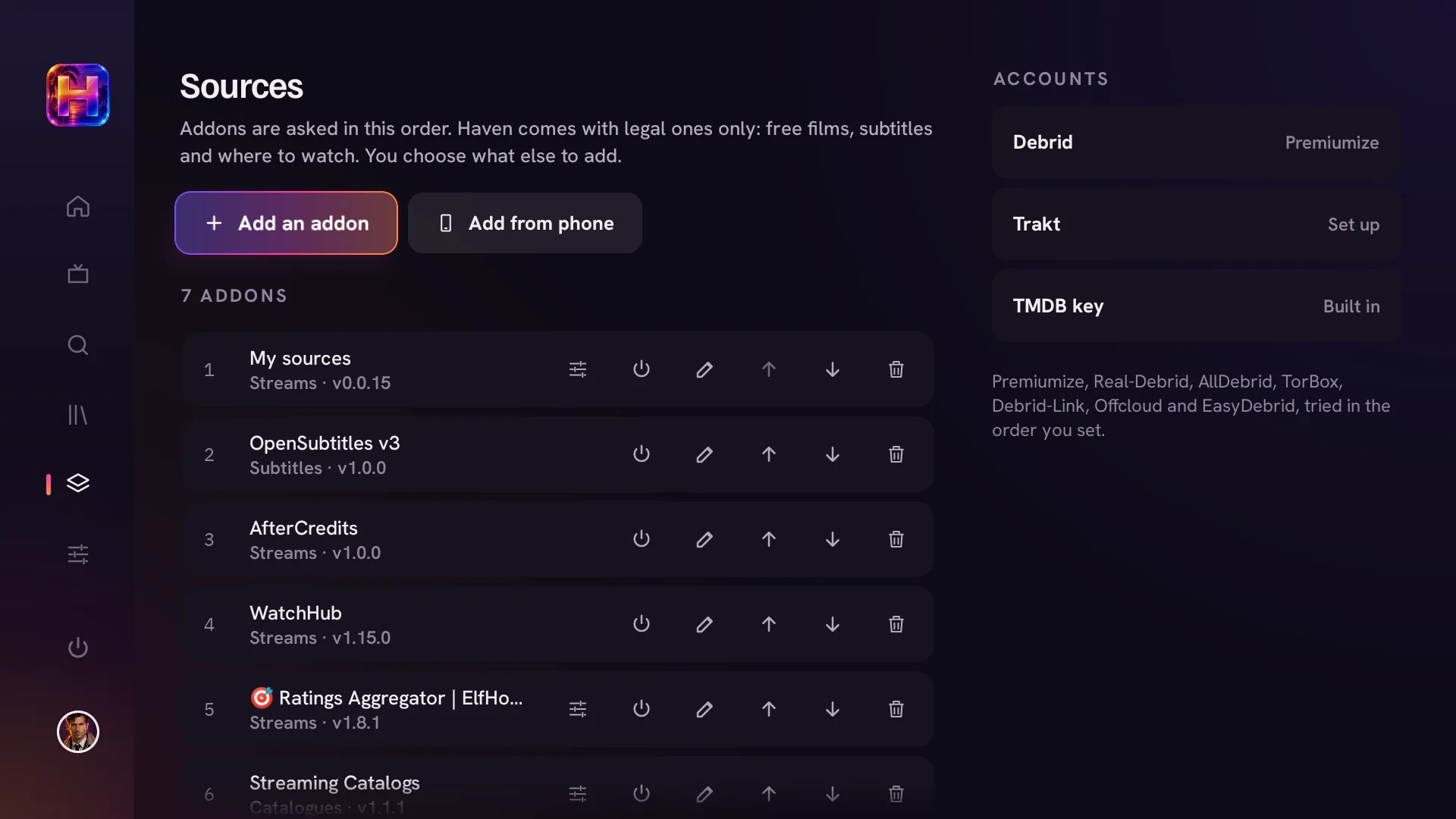
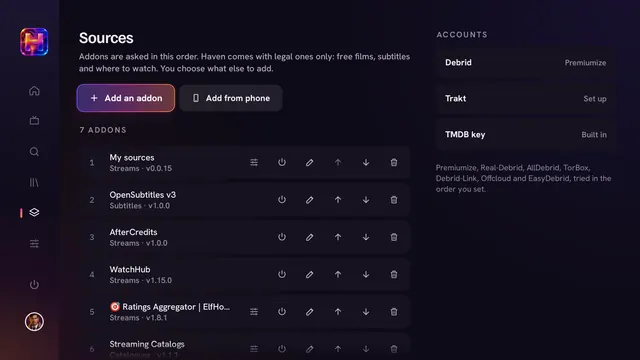
Haven comes with no third-party sources. Paste an addon's link, or scan a code and send links from your phone, then put them in the order you want Haven to ask them.

  • From your phone.

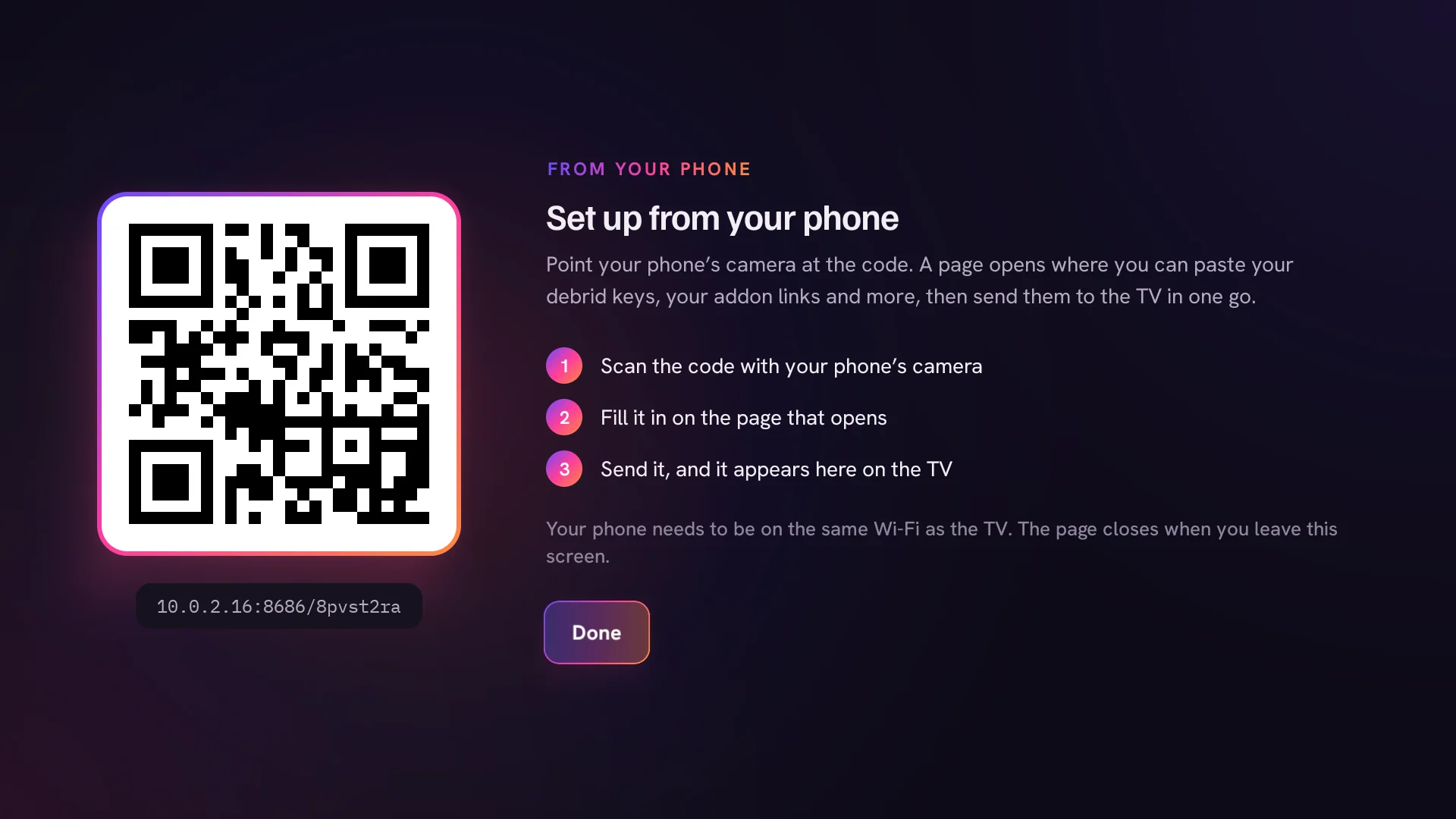
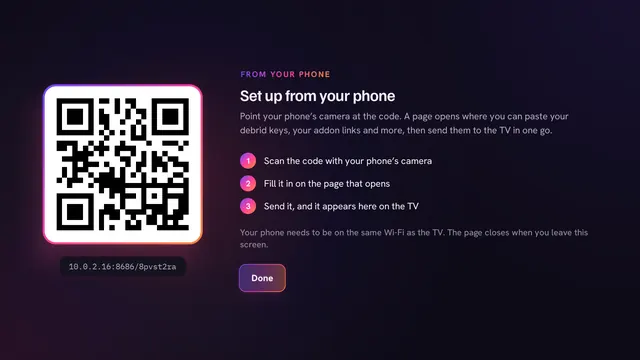
    Scan the code, paste your links and keys, and they arrive on the TV in one go. No typing with the remote.

  • Every debrid account at once.

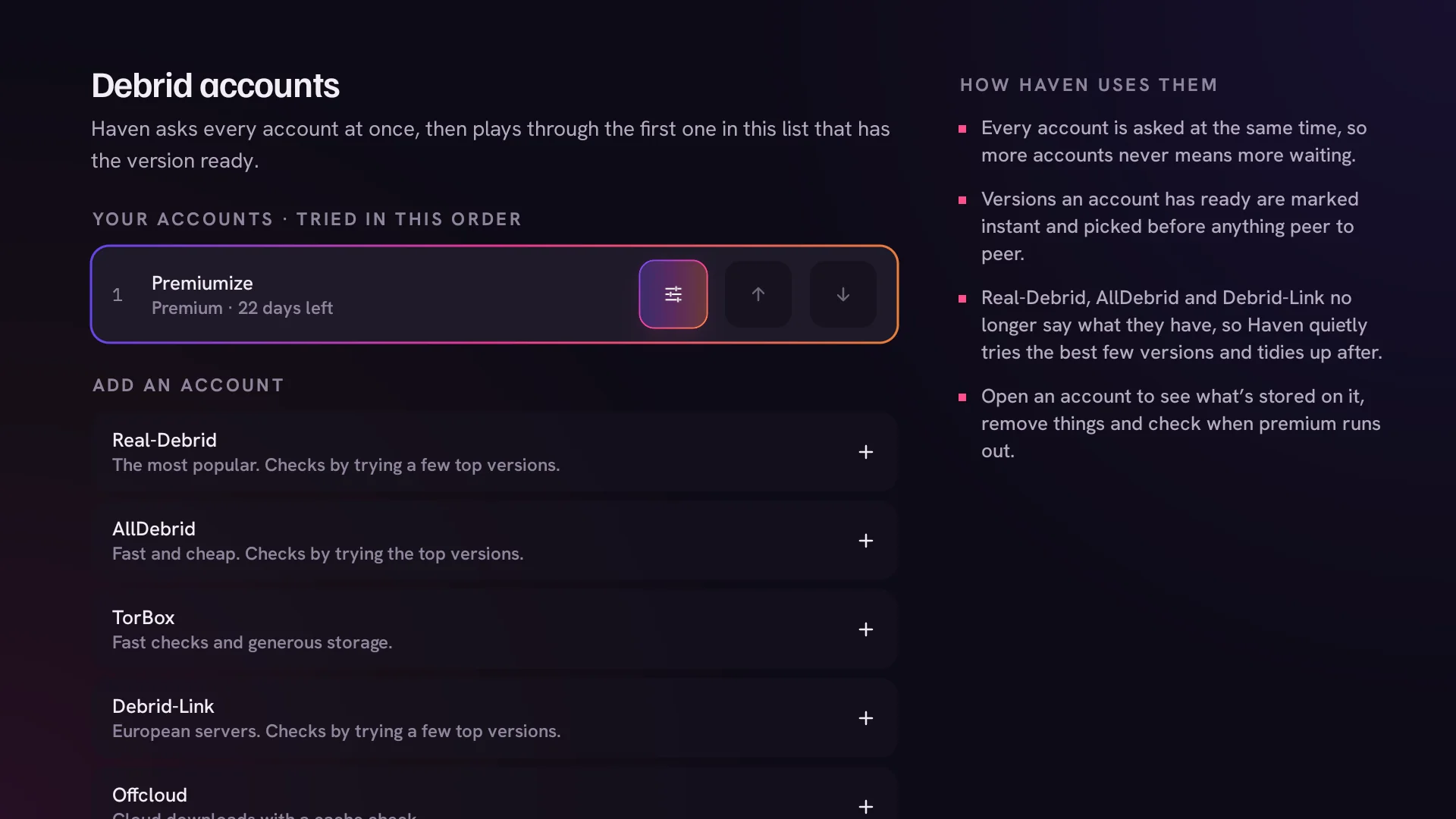
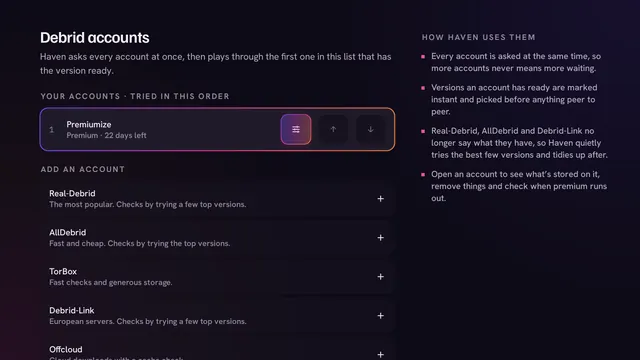
    Premiumize, Real-Debrid, AllDebrid, TorBox and more. Haven asks them all together and plays through the first in your order.

The Sources screen: Add an addon and Add from phone buttons, a numbered list of addons with turn off, edit, move and remove buttons, and accounts on the right
Set up from your phone: a QR code that opens a page for pasting addon links and keys
Debrid accounts: your accounts in the order Haven tries them, and the services you can add

Make it yours

Almost everything in Haven can be changed with the remote, from the rows on each page to the colour of the whole app. Try the colours below.

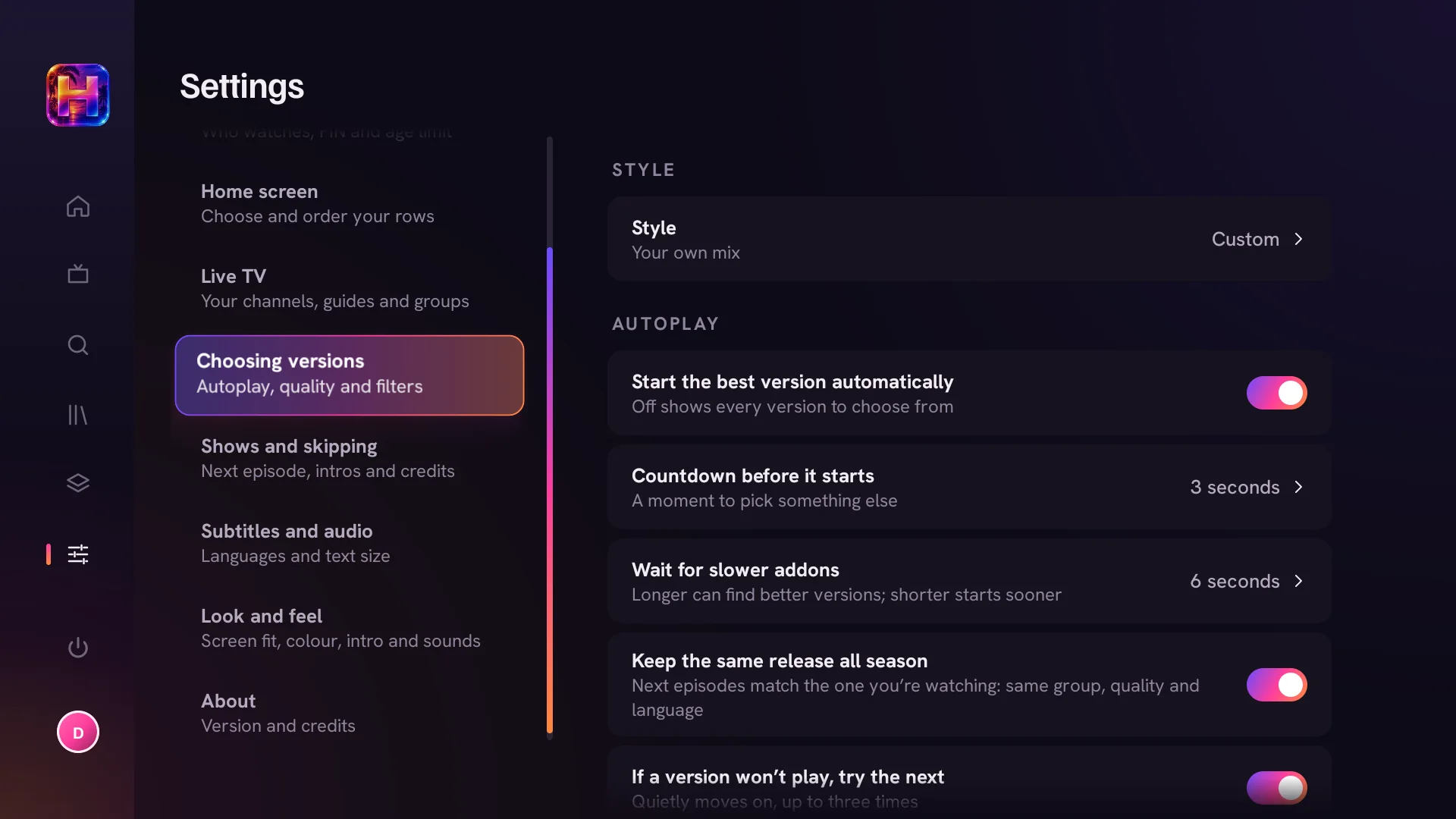
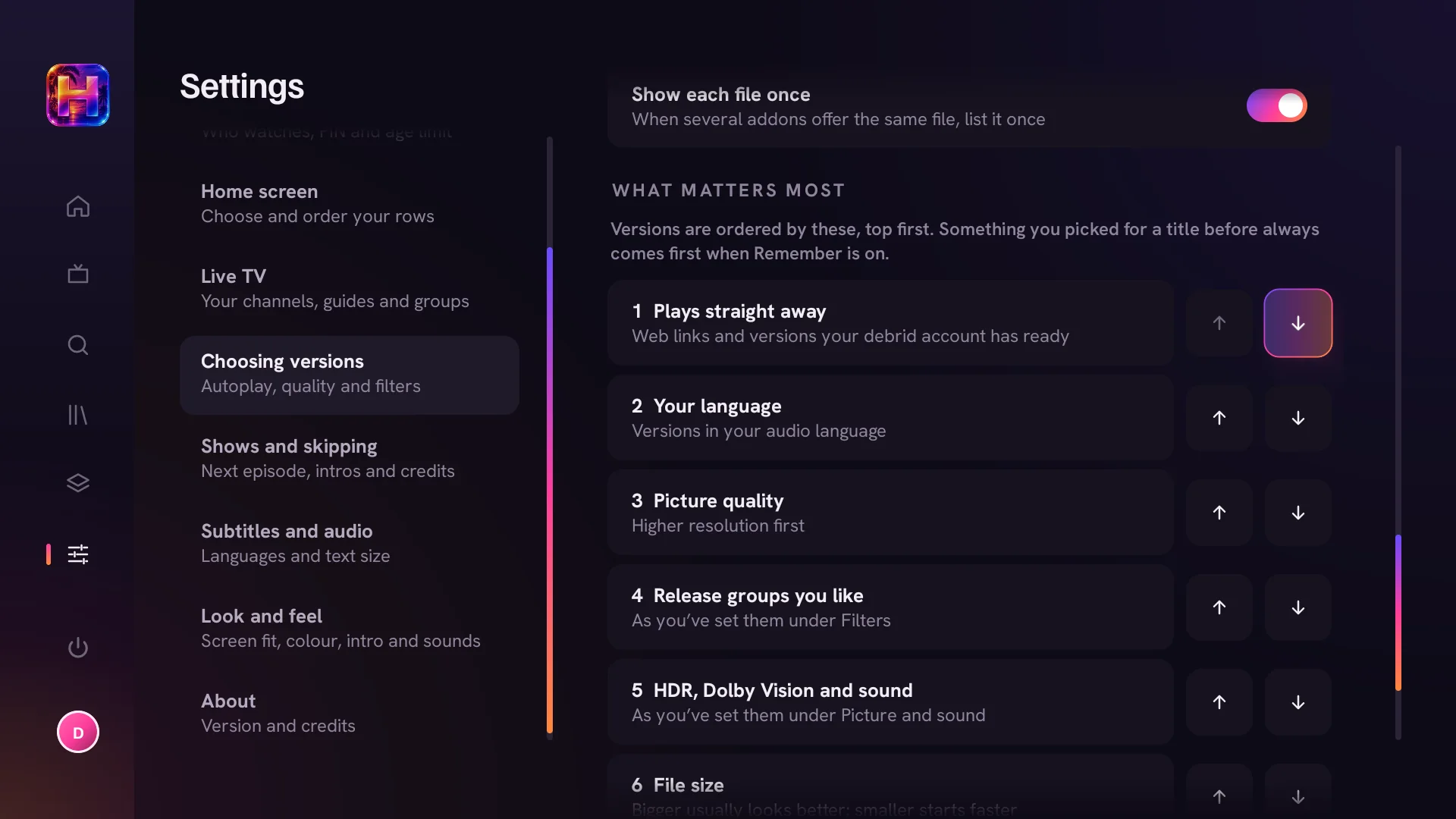
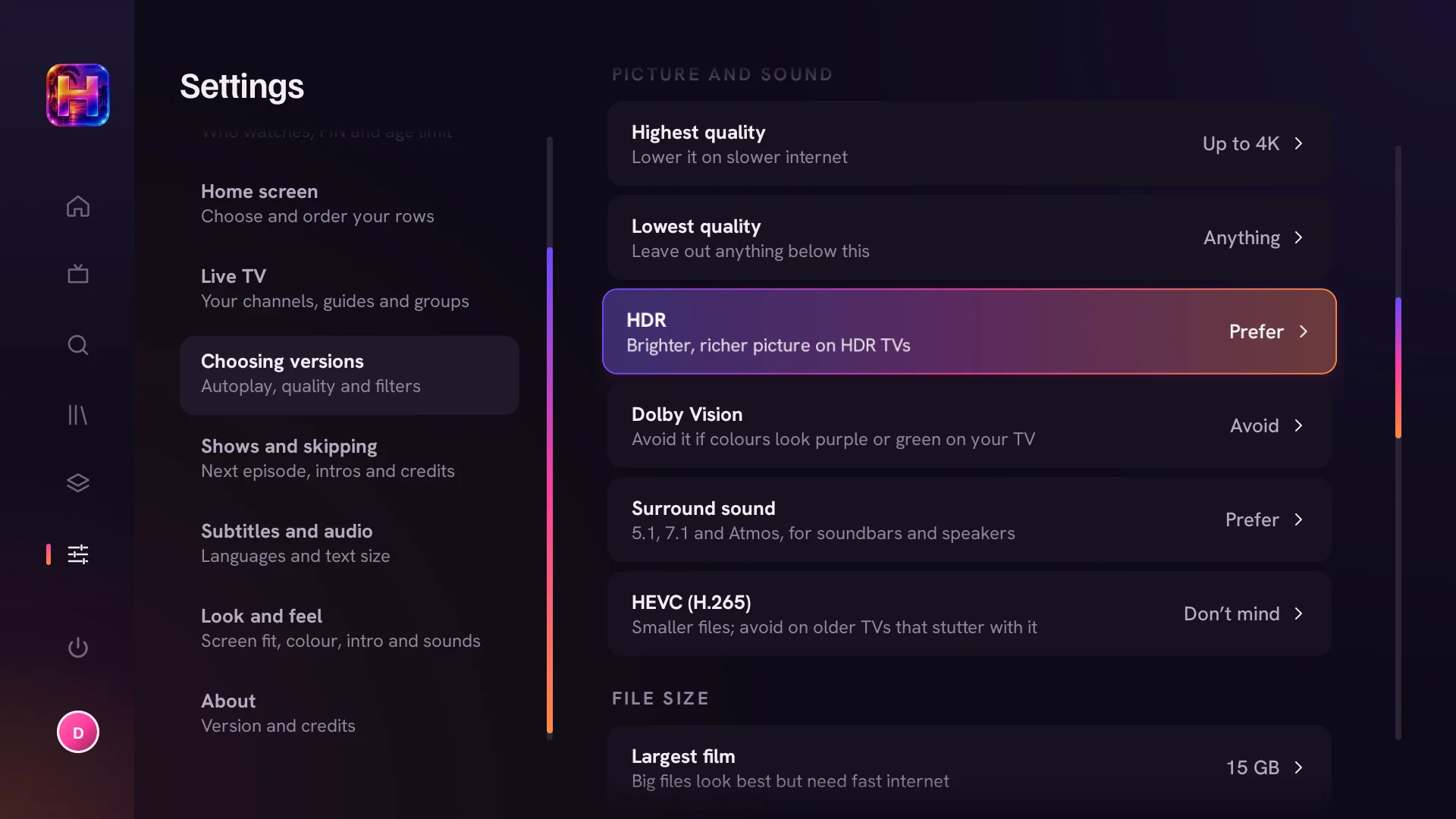
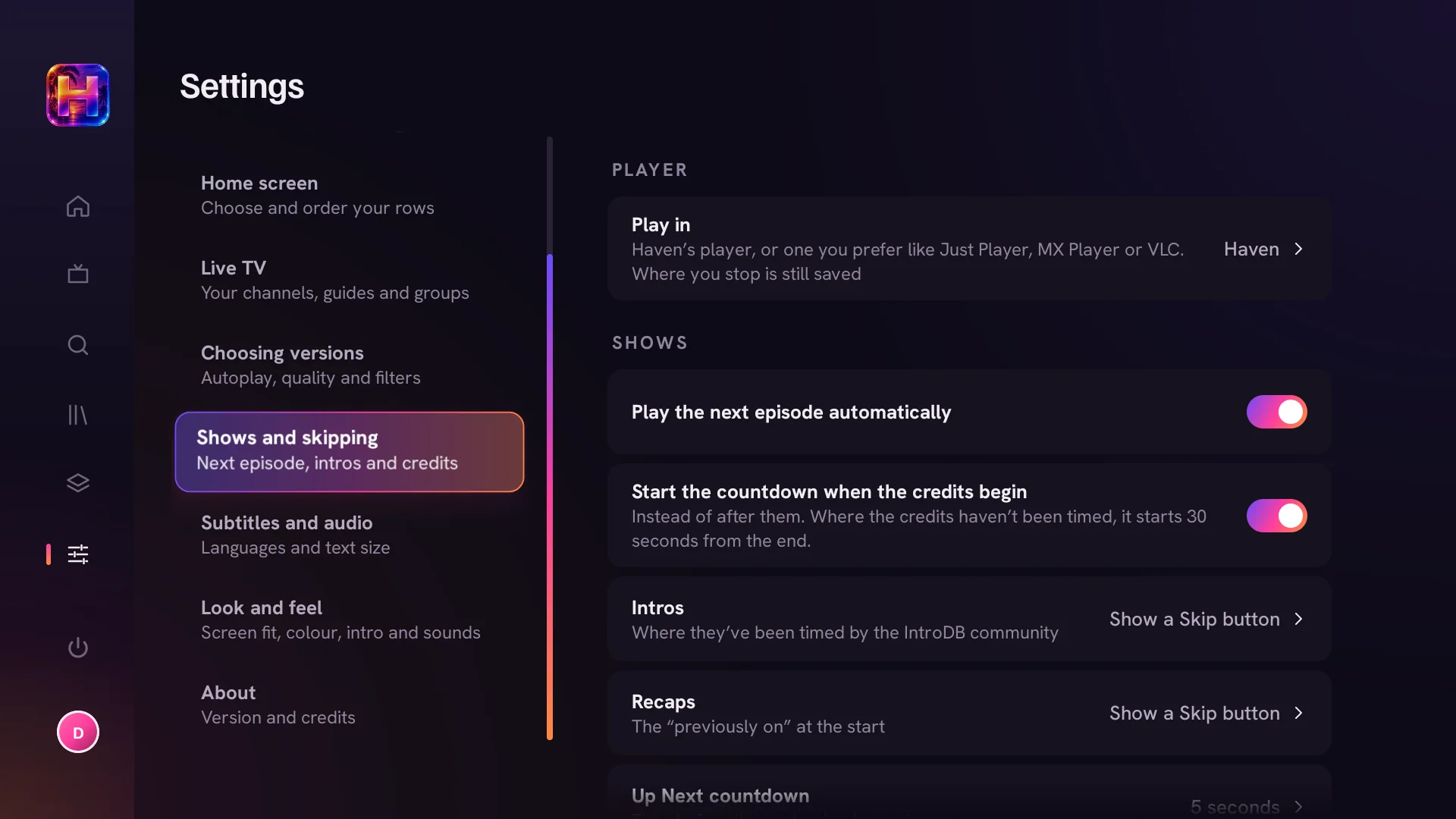
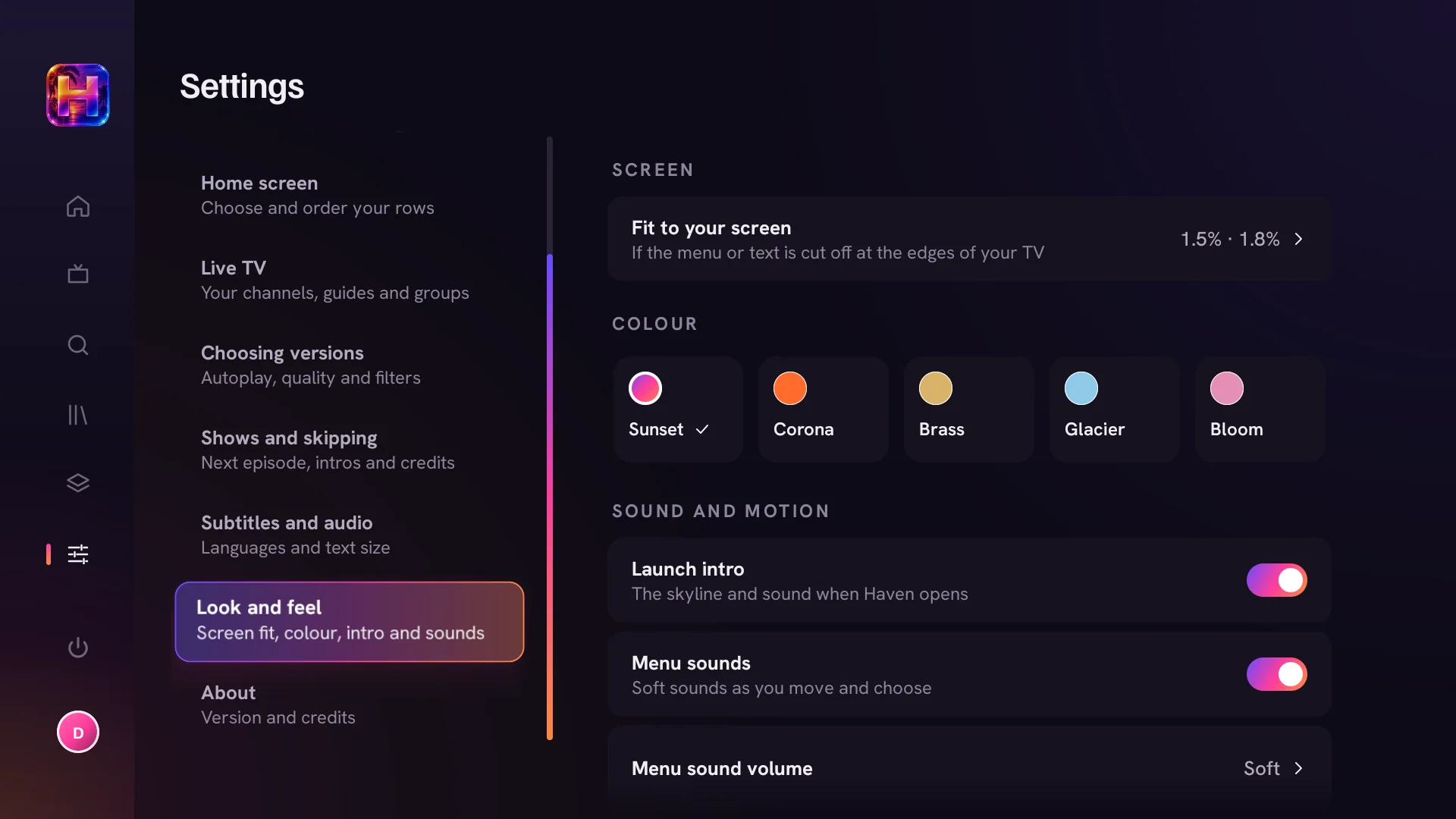
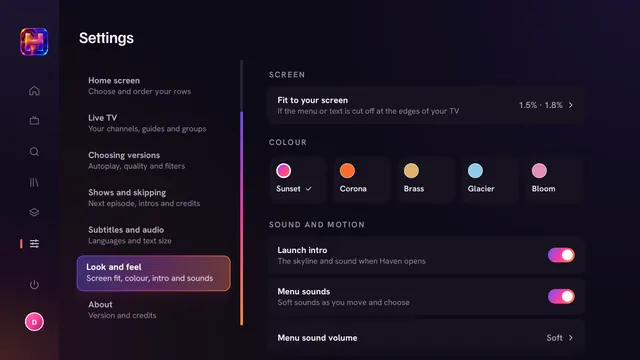
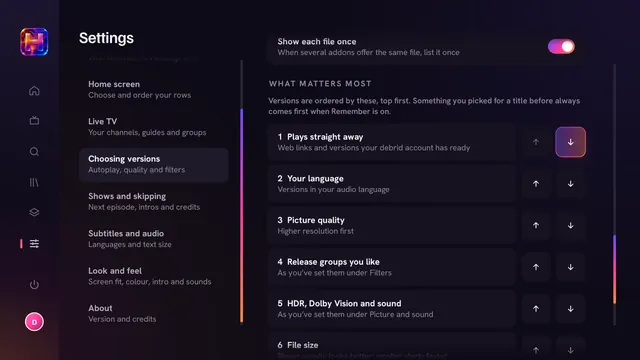
Choosing versions settings: style, start the best version automatically, countdown, wait for slower addons and keep the same release all season What matters most: plays straight away, your language, picture quality, HDR and sound, and file size, each movable up or down Picture and sound: highest and lowest quality, HDR, Dolby Vision, surround sound, HEVC and the largest file size Shows and skipping settings: player, next episode, credits countdown, intros and recaps Look and feel settings: fit to screen, five colours, launch intro and menu sounds

Pick a style, then decide whether the best version starts by itself, how long the countdown runs and whether a whole season stays in the same release.

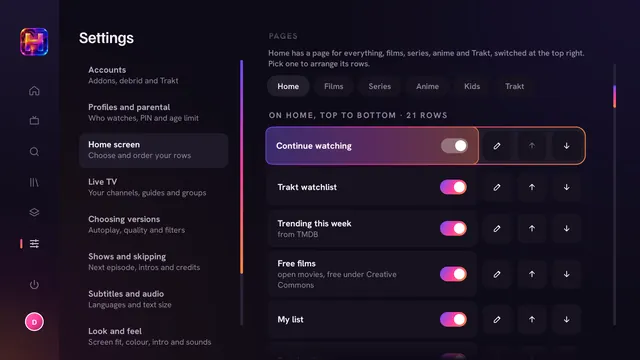
Build your own home

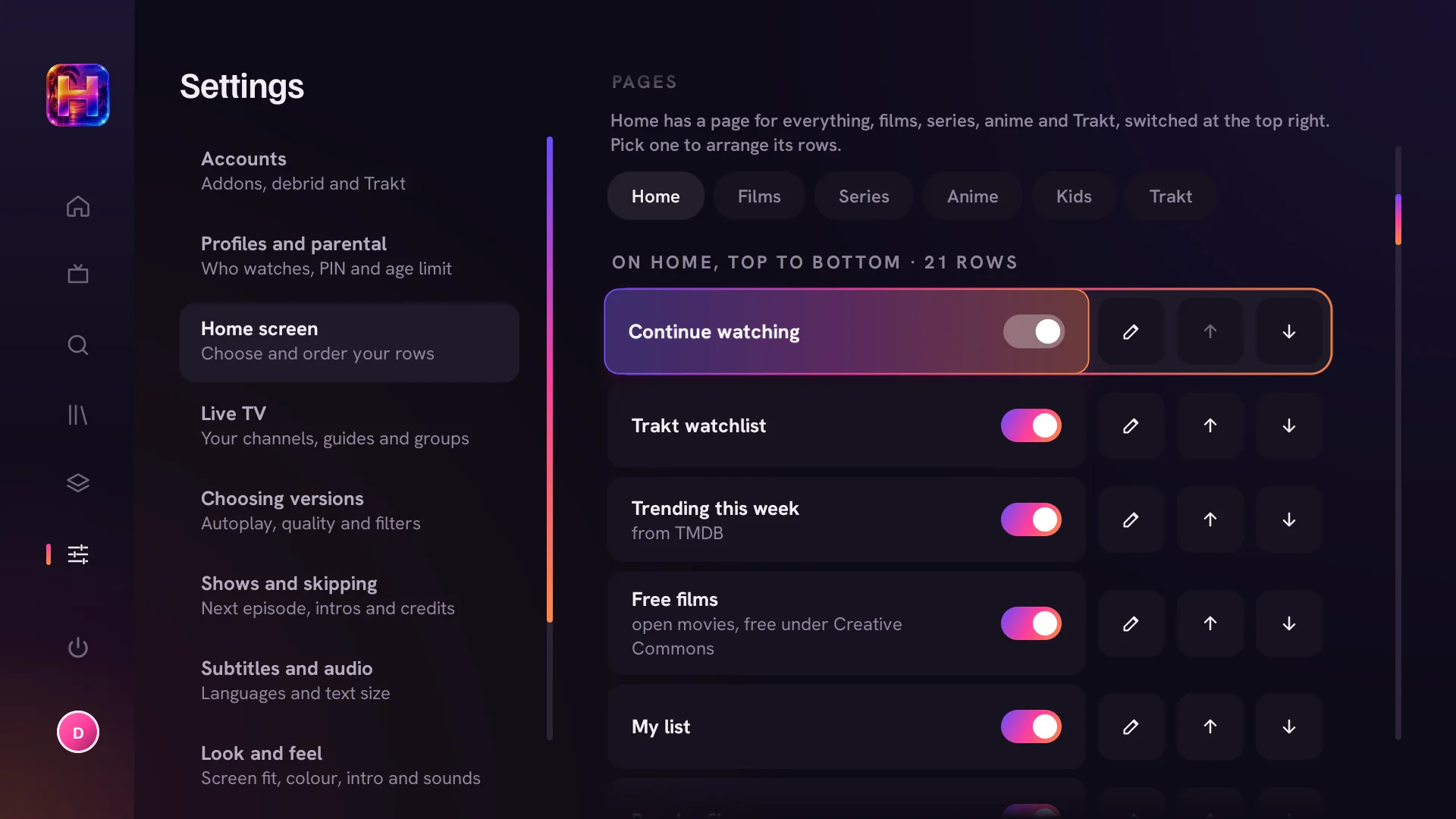
Pick a page, switch rows on or off and move them up or down without leaving the home screen. Each page resets on its own.

Home screen settings: page tabs and a list of rows with on and off switches, rename and up and down arrows

Your rules for every version

Four styles to start from, then fine-tune it.

  • Best pictureThe highest quality there is, HDR and big files welcome
  • BalancedGreat quality without huge files. Right for most people
  • Fast startSmaller 1080p files that start in a moment
  • Data saver720p and small files, for slow or capped internet
  • Highest and lowest quality
  • Size limits
  • HDR
  • Dolby Vision
  • Surround
  • HEVC
  • Must include
  • Never include
  • What matters most

Five colours

Buttons, focus, progress bars and this page follow the one you choose.

Your language

Audio, subtitles and trailers in any of 20 languages, or the original. Subtitles at the size you like, image-based ones included.

Pages your way

Home, Films, Series, Anime and Kids, each with its own rows. Haven opens on the page you used last, and Trakt gets a page of its own.

Countdown or none

Start the top pick after 3 to 15 seconds, or turn autoplay off and choose from the full list every time.

Bring your Trakt

Your watchlist, history and your own Trakt lists show up as rows. Not signed in? Everything stays on the TV.

Screen and sound

Fit Haven to the edges of your TV, keep or skip the launch intro, and set the menu sounds and their volume.

The full credits

Picture
Up to 4K, with HDR10 and Dolby Vision on TVs that support them
Sound
Surround and Atmos passed through, audio in your language first
Subtitles
On in the languages you choose, sized to taste
Skipping
Intros, recaps and credits
Next episode
Lined up at the credits, same release all season
Watch history
Trakt sync, ticks on every card, Continue watching
Sources
Stremio-compatible addons that you add
Debrid
Premiumize, Real-Debrid, AllDebrid, TorBox and more, all asked at once
Peer to peer
Optional, with a free-space check and clean-up after watching
Search
Voice from the Fire TV remote, the on-screen keyboard, or your phone
Setup
Scan a code and paste your keys and addons from your phone
Updates
Offered when you open Haven, never while you're watching
Live TV
Free news channels built in; add your own provider by playlist or Xtream login
Profiles
One per person; kids profiles with a PIN and age limit
Remote
Everything works with the arrows and OK; hold OK for more options
Price
Free. No ads. No account.

Get Haven

Out now for Fire TV Stick (3rd gen, Lite, 4K, 4K Max), Fire TV Cube, and Android TV or Google TV on Android 9 or newer.

Haven for Fire TV & Android TV

v0.3.12 · 28 MB · APK

Download APK

Windows and phone versions are on the way.

Install on a Fire TV

  1. Get Downloader. Search for “Downloader” on your Fire TV and install it. It's free.
  2. Let it install apps. Settings › My Fire TV › Developer options › Install unknown apps › Downloader › On.
  3. Enter the code. Open Downloader, type the code below into the address box and press Go.
  4. Install and open. Choose Install when asked. After that, Haven keeps itself up to date.

Type into Downloader

—

Questions

Does Haven come with anything to watch?

No. Haven is a player. It contains no films or series and comes with no third-party sources installed. You add services yourself, such as Stremio-compatible addons and a debrid account, and Haven shows what they offer. The only things built in are a handful of Creative Commons films from the Blender Foundation, for checking that playback works, and free news channels streamed by the broadcasters themselves.

Do I need an account?

No. Haven works on its own and keeps your list and progress on the TV. Trakt and debrid accounts are optional.

What's debrid, and do I need it?

A debrid service fetches files on fast servers, so playback starts straight away without buffering. Without one, Haven can stream peer to peer, which works but takes longer to start.

Will it play 4K, HDR and Atmos?

Yes, if your TV, sound system and Fire TV or Google TV device support them and the version you pick has them. You can tell Haven to prefer HDR, Dolby Vision and surround sound, or to cap quality on slower internet.

How do updates work?

When you open Haven and a new version is out, it asks whether you'd like it now and shows what's new. It never interrupts something you're watching.

Which devices are supported?

Fire TV devices from the 3rd-gen Stick onwards, the Fire TV Cube, and Android TV or Google TV devices on Android 9 or newer. Windows and phone versions are on the way.

Does Haven collect anything about me?

Only anonymous counts, so we know how many people use Haven: a random ID for the device, the app version, the kind of device and country, the shape of your setup (how many addons, never which ones) and how many minutes were watched and at what quality. Never a title, a link, an account, a name or anything you type. Turn it off any time in Settings › About › Share anonymous usage stats. Counts are deleted after 13 months.